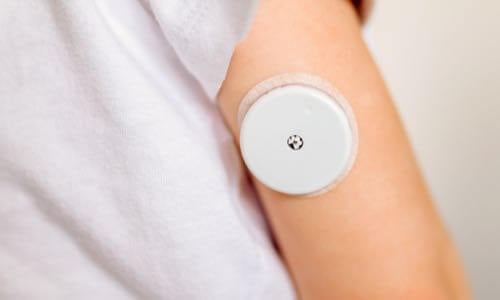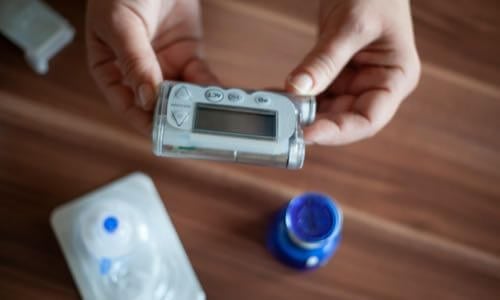
View current insulin pumps, smart pens and more from a variety of manufacturers. Compare features and technical specifications and find training resources, affordability information, prescription details and more.
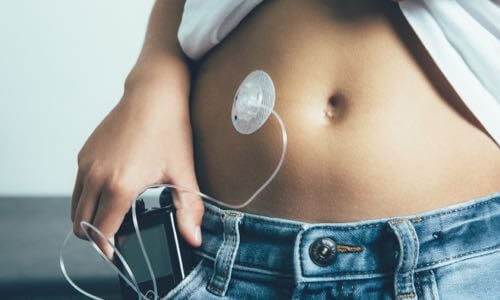
View features and specifications of popular infusion sets to determine the best option for your patients and clients.
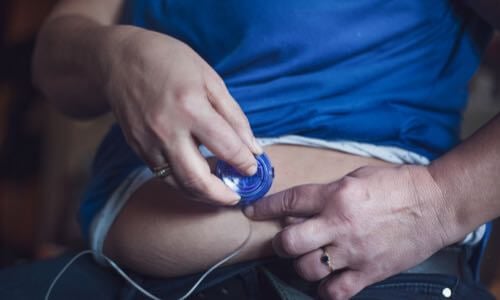
Open-source AID systems like Loop, AndroidAPS, and Trio combine pumps, CGMs, and smartphone apps to deliver customizable insulin automation. This section explains how they work, their unique features, safety considerations, and how clinicians can support patients using these evolving tools.
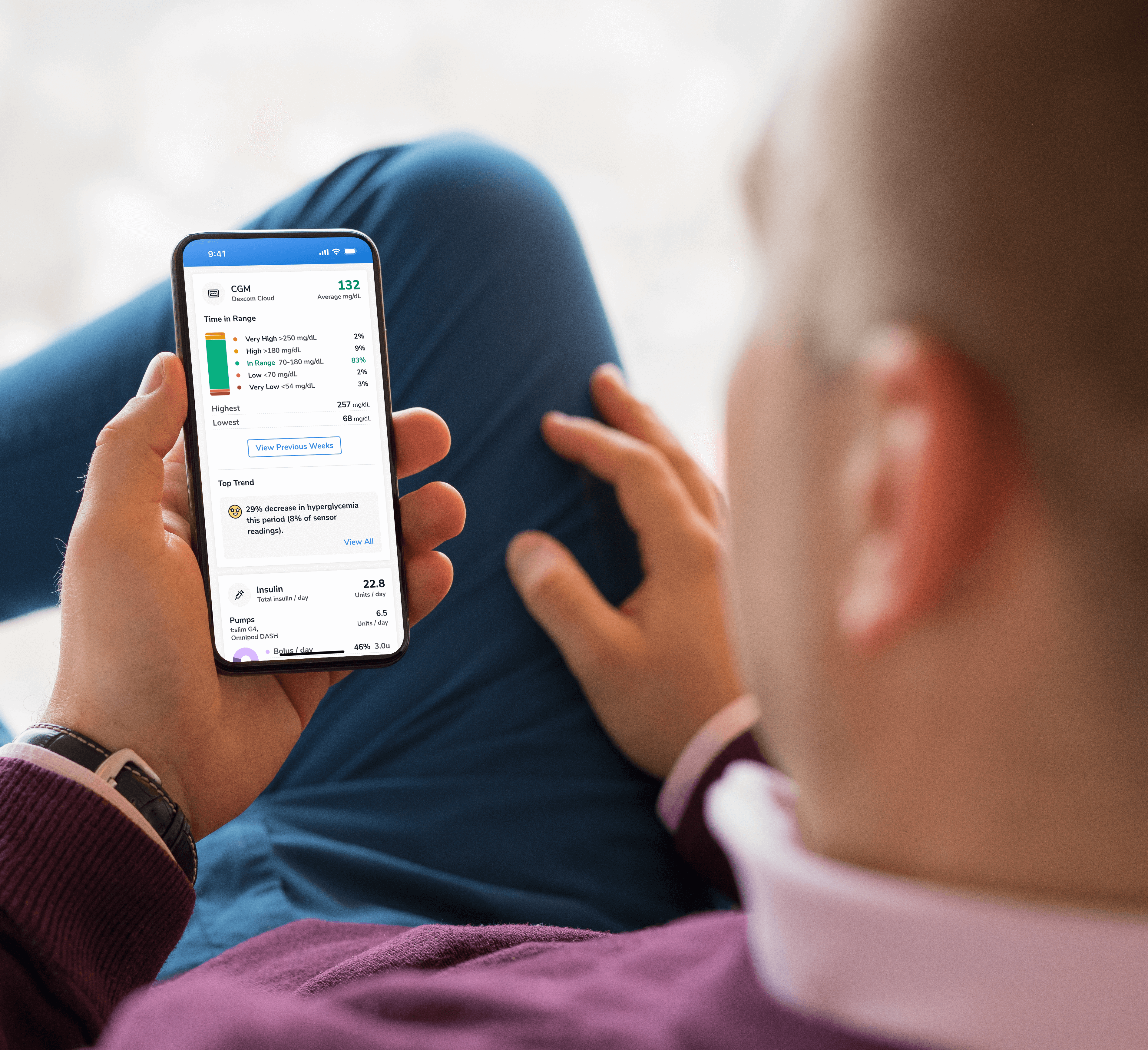
Find a sample of the latest online apps and digital platforms designed to prevent, manage and/or treat diabetes. We highlight apps and DTx for people with diabetes as well as the professionals treating them.
An overview of Glycemic Management Platforms that answers key questions including: What are they? What to consider? How can my inpatient facility benefit and more.
Are prior authorizations delaying patient care? Is your team overwhelmed by manual workflows? These platforms might help.
Find diabetes certificate programs, online learning opportunities, webinars, device training, practical tools and more. All resources are developed for diabetes healthcare professionals by diabetes healthcare professionals.

Find a variety of podcasts and videos focused on the latest topics in diabetes technology specifically created for diabetes healthcare professionals.
Danatech device trainings introduce healthcare professionals to the latest diabetes technology including the newest CGMs, automated insulin delivery devices, smart pens and more. Trainings include overviews, training specifics, FAQs and more.
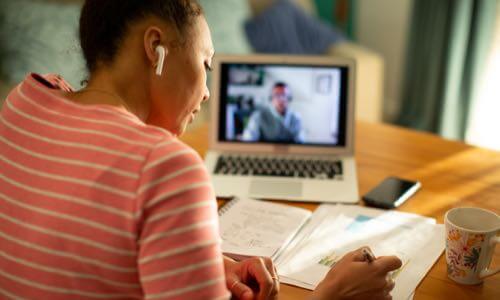
The danatech Tool & Resource Directory gathers every clinician tool in one place, from product comparisons and affordability finders to point-of-care PANTHER forms and step-by-step workflows for CGM and AID. Users can filter by focus area and role to find what fits their practice.
Diabetes Technology Conference
The only event designed by and for the care team focused on using technology in practice to improve outcomes for people with diabetes.
Bring Our Curriculum to Your Students
Prepare future healthcare providers for modern diabetes care with danatech’s practical curriculum on CGM, insulin delivery, AID, and patient-centered communication.
Several automated insulin delivery (AID) manufacturers offer free digital demos that let clinicians and people with diabetes explore selected screens and workflows without connecting to a working insulin pump. Learn more.
Help tackle cardiovascular issues by equipping yourself with the knowledge to reduce cardiometabolic risk and combat the development of cardiometabolic diseases with specialized education and resources from danatech.
Whether you’re a healthcare professional seeking to enhance your expertise or someone passionate about making a significant impact in the lives of those affected by diabetes, this guide will help you navigate the path to becoming a CDCES.

Get a plain-language read on where the diabetes tech field is heading, why it matters for the people you support and the specific technology we're tracking
Recent diabetes technology innovations, product launches and enhancements as well as clinical perspectives regarding diabetes care.

Make your voice heard on Capitol Hill by sending messages to your members of Congress on critical issues that affect diabetes care and education. You can also track federal diabetes legislation to see which members have signed on to support the bill and whether there have been any relevant votes.

Continuous glucose monitoring (CGM) systems provide glucose readings and trends that can support day-to-day diabetes management and clinical decision-making. The Dexcom G7 15 Day and FreeStyle Libre 3 Plus are two CGM options with up to 15 days of sensor wear.
U.S. product indications and features. App, reader, receiver, and connected insulin-pump features can differ.
Both systems offer customizable glucose alerts and allow users to share glucose readings and trends remotely with designated followers, such as family members or caregivers. They differ in age indications, reading frequency, alert features, device connectivity, and compatibility with insulin delivery systems.
This comparison highlights key features to consider when selecting, initiating, and providing training on CGM use. As a device-agnostic resource, danatech emphasizes that the best CGM is the one that meets the individual’s needs, preferences, lifestyle, and coverage considerations. Use this comparison to support a person-centered approach to CGM selection and use:
| Feature | Dexcom G7 15 Day | FreeStyle Libre 3 Plus |
|---|---|---|
| Wear time | Up to 15 days | Up to 15 days |
| Grace period2, 3, 24 | 12 hours after the 15-day session | No additional grace period |
| Warm-up | 60 minutes | 60 minutes |
| Age indication | 18 years and older | 2 years and older |
| Reading frequency | Every 5 minutes | Every 1 minute |
| Display device | Smartphone app or receiver | Smartphone app or reader |
| Type of CGM1, 2, 23 | Real-time CGM (rtCGM) | Real-time CGM with app or reader; no repeated scanning after activation |
| Reported MARD (adult study)2, 8 | 8.0% (adult study) | 8.2% (adult study) |
| Calibration1, 7 | Not required; optional user calibration available | Not required; user calibration is not available |
| Sensor placement | Back of upper arm | Back of upper arm |
| Remote glucose sharing21, 22 | Dexcom Follow app; requires compatible connected devices and internet | LibreLinkUp app; requires a supported app or partner-system sharing connection and internet |
| Maximum number of followers12, 21, 22 | Up to 10 via Dexcom Share/Follow | Up to 20 via LibreLinkUp; partner-system sharing limits may differ |
| Data platform | Dexcom Clarity | LibreView |
| Water resistance4, 5 | Sensor: up to 8 feet (2.4 m) for up to 24 hours | Sensor: up to 3 feet (1 m) for no longer than 30 minutes |
| Apple Watch compatibility1, 14 | Yes; compatible Apple Watch with Direct to Watch or phone-relayed display | Yes; Libre app for Watch requires iPhone in range of both sensor and watch |
| Interfering substances1, 6, 20 | Hydroxyurea: may falsely raise readings; do not use CGM readings for treatment decisions while taking it. Acetaminophen: more than 1,000 mg every 6 hours in adults may falsely raise readings. | More than 1,000 mg of vitamin C per day may falsely raise readings and lead to a missed severe low-glucose event. |
Both devices offer up to 15 days of indicated sensor wear. The Dexcom G7 15 Day includes an additional 12-hour grace period after the 15-day session, allowing flexibility in timing a sensor change. Both CGMs have a 60-minute warm-up before glucose readings become available. Wear the overpatch supplied with the Dexcom sensor.1, 2, 24
Dexcom G7 15 Day: Use a meter for treatment decisions if a current glucose number or trend arrow is missing.1
FreeStyle Libre 3 Plus: The current U.S. app and reader manuals require a blood glucose test before making treatment decisions during the first 12 hours of sensor wear when the check-glucose symbol appears. A 60-minute warm-up does not remove this requirement.2, 3
For use with an automated insulin delivery (AID) system, follow that system’s instructions for sensor start-up, treatment decisions, and glucose-monitoring interruptions.
MARD (mean absolute relative difference) summarizes the average percentage difference between CGM readings and reference glucose measurements in a study. A lower MARD indicates closer average agreement under that study’s conditions. The reported adult-study MARD is 8.0% for Dexcom G7 15 Day and 8.2% for FreeStyle Libre 3 Plus. These results come from separate studies and do not establish that one device is more accurate than the other for an individual.2, 8
The Libre 3 Plus updates glucose readings every minute; the G7 15 Day updates readings every five minutes. The clinical importance of this difference depends on how the person uses glucose trends, alerts, and connected devices.
Scope: The alert comparisons below describe the Dexcom G7 and Libre smartphone apps. They should not be applied to dedicated receivers/readers or connected AID apps, which have their own instructions and alert behavior.
Both Dexcom G7 15 Day and FreeStyle Libre 3 Plus have required urgent-low alerts with a fixed 55 mg/dL threshold and certain technical or system alerts that cannot be disabled. Both systems offer options to temporarily silence audible glucose alerts for up to six hours. However, the systems differ in which alerts can be silenced and how notifications are delivered.1, 2
Required alerts and Quiet Modes
Required alertsThe Urgent Low Alert occurs at or below 55 mg/dL. It and certain technical alerts cannot be turned off.1
Vibrate ModeUrgent Low and certain technical alerts will sound if not acknowledged.
Silence AllSuppresses sound and vibration for up to six hours while retaining visual alerts.
Exceptions“App Stopped Working” and “App Stopped: Phone Storage Full” continue to sound on the smartphone, even during Silence All.
Device limitationSilence All applies to the phone and watch apps; it is not available on the dedicated receiver.1, 15
Required alarms and Silent Mode
Required alarmThe Urgent Low Glucose Alarm occurs below 55 mg/dL. It cannot be turned off or have its threshold changed, but its sound can be temporarily silenced with Silent Mode.2
Silent ModeSuppresses audible glucose and signal loss alarms for up to six hours; visual and vibration notifications may continue depending on smartphone settings.
ExceptionsCertain fixed system alarms, including Replace Sensor, Sensor Ended, Check Sensor, and App Stopped, cannot be turned off or silenced.2
Customizable alarmsLow Glucose, High Glucose, and Signal Loss alarms can be customized or turned off.
Alert names differ between systems. These are examples, not a complete list of technical alerts.1, 2
| Alert or alarm | Dexcom G7 15 DayCan it be silenced? | FreeStyle Libre 3 PlusCan it be silenced? |
|---|---|---|
| Urgent Low Glucose (55 mg/dL) | Yes. Silence All, up to 6 hours | Yes. Silent Mode, up to 6 hours |
| Replace Sensor / Replace Sensor Now | Yes. Silence All, up to 6 hours | No. Continues to sound |
| Sensor Ended | Different name: see Replace Sensor Now | No. Continues to sound |
| Check Sensor | No alert with this exact name | No. Continues to sound |
| Sensor Failed | Yes. Silence All, up to 6 hours | Different message: see Replace Sensor |
| App Stopped Working (Dexcom) / App Stopped (Libre) | No. “App Stopped Working” continues to sound | No. App Stopped continues to sound |
| App Stopped: Phone Storage Full | No. Continues to sound | Not applicable |
| Other required technical/system alerts | Most can be silenced using Silence All | Depends on the specific system alarm |
| Alert or alarm | Dexcom G7 15 Day | FreeStyle Libre 3 Plus |
|---|---|---|
| Low Glucose | Can be turned off or customized | Can be turned off or customized |
| High Glucose | Can be turned off or customized | Can be turned off or customized |
| Signal Loss | Can be turned off or customized | Can be turned off or customized |
| Urgent Low Soon (predictive) | Can be turned off | Not available |
| Rising Fast / Falling Fast | Can be turned off | Not available as separate alerts |
Temporary silencing changes how alerts are delivered; it does not turn off the underlying glucose monitoring. The person may not hear a warning about a serious low glucose level. Before using a silent mode, agree on how they will monitor glucose and recognize and respond to lows. Confirm which sounds, vibrations, and visual notifications remain active on each device.1, 16
| Feature | Dexcom G7 15 Day | FreeStyle Libre 3 Plus |
|---|---|---|
| Silent mode name | Silence All | Silent Mode |
| Maximum duration | 6 hours | 6 hours |
| Audible glucose alerts | Silenced | Silenced |
| Vibration during silent mode | Suppressed | May continue depending on smartphone settings |
| Visual notifications | Continue | Continue |
| Required technical/system alarms | Most silenced, with two critical app exceptions | Certain fixed system alarms continue sounding |
| Separate vibration mode | Yes. Vibrate Quiet Mode | Vibration follows smartphone settings |
CGM compatibility with automated insulin delivery systems is an important consideration for people using or considering insulin pump therapy. Compatibility depends on the exact CGM model, insulin delivery device, software or firmware version, and commercial availability. Confirm the current manufacturer compatibility information before prescribing or switching sensors. The sensor’s age indication does not establish eligibility for every connected AID system; check the complete system’s age and other eligibility requirements.9, 12
| Connected system | Dexcom G7 15 Day | FreeStyle Libre 3 Plus |
|---|---|---|
| Omnipod 59, 13 | Yes; use Pods labeled for Dexcom G6/G7 | Yes; use Pods specifically labeled for FreeStyle Libre 3 Plus |
| iLet Bionic Pancreas | Yes | Yes |
| Tandem t:slim X210, 11 | Yes; pump software 7.10.4 or later, with compatible mobile app | Yes |
| Tandem Mobi10, 11 | Yes; confirm required pump and mobile-app versions with Tandem | No |
| twiist | No | Yes |
Verify current AID compatibility: Dexcom integrations and compatibility and Abbott FreeStyle Libre pump compatibility
Both Dexcom G7 15 Day and FreeStyle Libre 3 Plus support glucose alerts on a compatible Apple Watch, but they differ in how alerts are transmitted. Dexcom G7 15 Day supports direct sensor-to-watch connectivity, allowing glucose readings and alerts to continue when the iPhone is not nearby. FreeStyle Libre 3 Plus uses the Libre app for Watch, which receives glucose information through the iPhone. The iPhone must remain within range of both the sensor and watch. Do not use Libre watch readings for treatment decisions; use the Libre phone app.1, 14
Alert settings are managed through the respective smartphone apps. After changing Dexcom settings on the iPhone, open the Dexcom watch app while the phone is nearby to synchronize the changes. Libre 3 Plus notifications follow the iPhone’s Apple Watch notification-mirroring settings. Sound and vibration behavior may also depend on Apple Watch settings. Users should verify how glucose alerts are delivered on their watch, particularly when using silent modes or leaving their smartphone behind. Libre notifications may appear on the iPhone or Apple Watch rather than both.1, 14
| Feature | Dexcom G7 15 Day | FreeStyle Libre 3 Plus |
|---|---|---|
| Receive glucose alerts on Apple Watch | Yes | Yes |
| Direct sensor-to-watch alerts | Yes, with Direct to Watch | No; relayed through iPhone |
| Receive glucose alerts without iPhone nearby | Yes, with Direct to Watch | No |
| Urgent Low Glucose (55 mg/dL) | Available on Apple Watch | Available via iPhone notifications |
| Change CGM alert settings on watch | No; use iPhone app | No; use iPhone app |
| Alert settings and watch | Settings synchronize from Dexcom iPhone app | Uses iPhone/Apple Watch notification settings |
| Silent modes and vibration on watch1, 15 | Silence All applies to phone and watch apps; verify settings have synchronized | Watch haptics and notification behavior depend on watch settings |
| Phone out of range | Direct to Watch continues readings and glucose alerts | Watch cannot receive updated glucose data or alerts |
| Critical app/system alerts1, 2, 14 | App Stopped Working and App Stopped: Phone Storage Full sound on the phone, but not on the watch in Direct to Watch mode | Check phone and watch settings; a notification may appear on only one device |
Dexcom G7 15 Day: Remove the sensor before MRI or high-frequency electrical heat (diathermy) treatment. For X-rays and CT scans, discuss the manufacturer’s safeguards with the imaging team: keep the sensor outside the scanned area and cover it with a lead apron. If these conditions cannot be met, arrange removal and alternative glucose monitoring.1
FreeStyle Libre 3 Plus: The sensor can remain in place for X-rays and CT scans. It is MR Conditional: it may remain in place during a 1.5T or 3T MRI only when all Abbott-specified conditions are met. The imaging team must check the full MRI conditions in the manufacturer labeling. Use an alternative glucose-monitoring method during MRI and for the following hour because sensor readings may be affected. No waiting period is required after X-ray or CT. Keep the phone and reader outside the MRI examination room.17, 18, 20
There is no single CGM that is the best fit for everyone. Selection may depend on age indication, insulin delivery system compatibility, preferred display device, alerts, data sharing, adhesive tolerance, training needs, and insurance coverage. Incorporating these considerations into shared decision-making can help the person choose technology that fits their daily life and diabetes management goals.
A recall affects certain FreeStyle Libre 3 and Libre 3 Plus sensors that may give falsely low readings. Check the serial number at FreeStyleCheck.com. Stop using and dispose of sensors confirmed as affected, and request a replacement. Use a meter or an unaffected sensor while awaiting replacement. This notice does not apply to all Libre 3 Plus sensors.19
Dexcom G7 15 Day: Dexcom Official Website. Product specifications, alerts, Quiet Modes, Apple Watch connectivity, and AID compatibility.
FreeStyle Libre 3 Plus: Abbott FreeStyle Libre Official Website. Product specifications, alarms, Silent Mode, Apple Watch connectivity, and AID compatibility.
U.S. manufacturer labeling, compatibility information, and FDA notice checked November 12, 2026. Follow the instructions for the exact sensor, app version, display device, and connected AID system being used.
DISCLAIMERS:
This site and its services do not constitute the practice of medical advice, diagnosis or treatment. Always talk to your diabetes care and education specialist or health care provider for diagnosis and treatment, including your specific medical needs. If you have or suspect that you have a medical problem or condition, please contact a qualified health care professional immediately. To find a diabetes care and education specialist near you, visit the ADCES finder tool.
ADCES and danatech curate product specifics and periodically review them for accuracy and relevance. As a result, the information may or may not be the most recent. We recommend visiting the manufacturer's website for the latest details if you have any questions.











danatech, powered by ADCES, helps the whole care team choose, start, use and support diabetes technology with confidence.